Chartplotters, radar, instruments and autopilots should fit the way you navigate. Find specialists to discuss a focused upgrade or a more complete refresh of your navigation setup.

Start with your navigation routine
A navigation upgrade should fit the way you plan and conduct a passage. Explain where you normally sail, whether you navigate mainly from the cockpit or chart table and what information you want visible underway. Coastal cruising, harbour sailing and club racing can lead to different priorities. Identify the functions you already use confidently and the problems you want to solve. A bigger display is not always the most important improvement. The provider can help you compare options more meaningfully when your brief describes actual tasks, such as seeing instrument data from the helm or reviewing a route with the crew.
Check what can be retained
List existing chartplotters, instruments, sensors and autopilot equipment with their model details. Ask the installer to assess compatibility rather than assuming that a new device will communicate with everything aboard. Discuss any limitations associated with retaining older components and request a clear explanation of proposed replacements. If chart coverage or subscriptions are involved, confirm what is included for the waters you intend to use. A demonstration unit may show features or data that are not part of the quoted package. Your comparison should be based on the functioning system that will be installed on your boat.
Place equipment for real sailing conditions
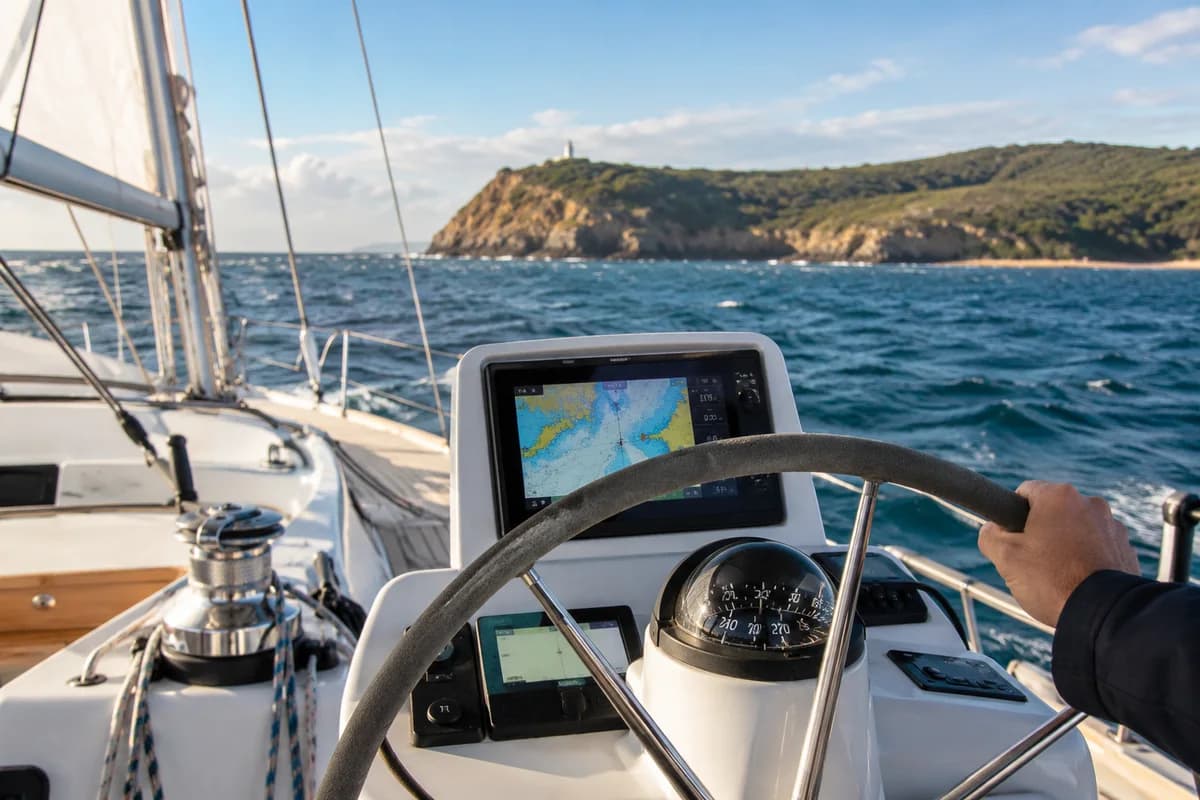
Think about reach, visibility and the positions from which different crew members will use the equipment. A display that looks convenient at the dock may be awkward behind a wheel or obscured by normal cockpit activity. Ask the installer to discuss mounting, cable routing and service access before finalising the layout. If the work involves sensors or equipment outside the cockpit, coordinate any yard access required. Avoid making structural or electrical changes based on a generic online example. The installation should be assessed against the vessel, the equipment instructions and the responsibilities of the professionals doing the work.
Include setup and practical handover
Request a quote that distinguishes supply from installation and commissioning. Ask what testing is included and how any calibration or configuration will be handled. A practical handover should cover the functions in your brief and explain where to find the relevant manufacturer guidance. Keep a record of models, settings and software information supplied by the installer. Before a demanding passage, spend time learning the new arrangement in a suitable local setting. Navigation electronics support the skipper's work; unfamiliar menus should not become another complication at the moment you need to make a clear decision.
Plan for ownership after the upgrade
Ask about chart updates, subscriptions, software support and how to obtain help if the system behaves unexpectedly. Clarify which costs recur and which are included in the initial purchase. Keep documentation accessible and make sure another regular crew member understands the basic arrangement. When equipment is changed later, update the system record and check compatibility again. Do not treat a product feature list as a complete navigation plan or a guarantee of suitability for every trip. A well-chosen system earns its place by being usable, understood and maintained as part of the wider preparation of the boat and crew.
Make the first enquiry count.
The upgrade goal is easier use at the helm, not merely a larger screen. Describe the tasks, viewing position and regular crew before discussing products. Ask the installer to include retained instruments, sensors and power arrangements in its assessment of the complete system.
What a useful quote should settle
Compare required functions, integration, mounting, commissioning, crew familiarisation and the final equipment record.
How to compare marine service quotes →Which conversation do you need?
Start with the situation that describes your job. These are different enquiry briefs, so ask the provider to confirm the scope that fits yours.
Display replacement
One visible device is the focus.
What confirms compatibility with everything retained?
Crew usability
The current arrangement is difficult to operate.
Would layout, setup or familiarisation address the issue?
Integrated upgrade
Several functions are changing together.
How are commissioning and crew handover included?
Three steps to a clearer decision.
What confirms compatibility with everything retained?
Would layout, setup or familiarisation address the issue?
How are commissioning and crew handover included?
Before you make the next move.
Does a chartplotter replace other navigation preparation?
No. Equipment selection and installation are separate from having appropriate navigation skills, current information and a suitable plan. Learn the system before relying on unfamiliar functions underway and maintain appropriate independent arrangements.
What should happen at handover?
Ask for a demonstration of the tasks in your original brief, relevant configuration records and information about updates. Include another regular crew member where possible so operation does not depend on one person remembering everything.
Navigation electronics: enquiry checklist
Use this to prepare your first enquiry. Print a copy to keep with your notes.
0 of 5 ready · Checks reset when you leave this page.